
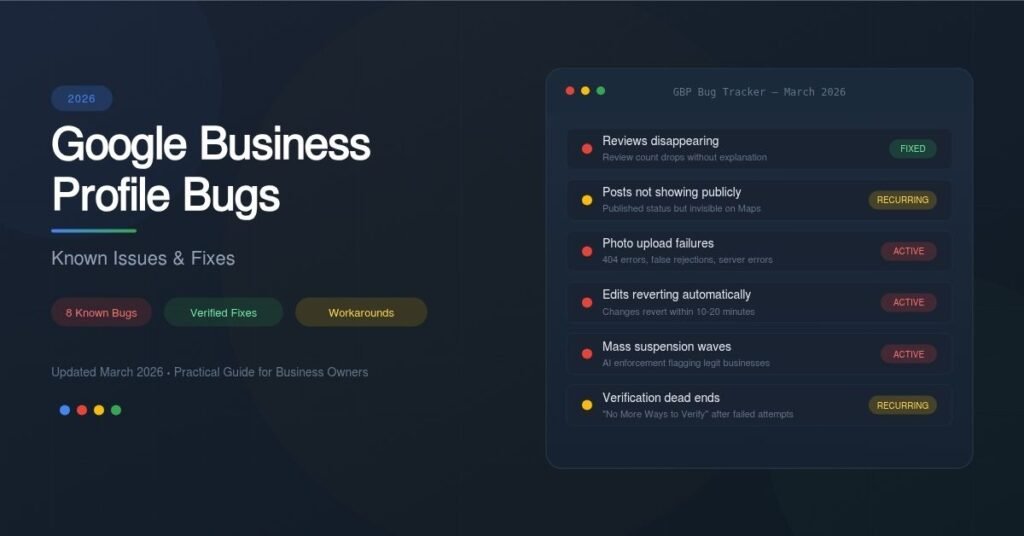
Google Business Profile Bugs 2026: Known Issues & Fixes
A practical guide to every major GBP bug business owners are dealing with right now—what’s broken, what’s been fixed, and exactly what you can do about each one.
If you manage a Google Business Profile in 2026, you’ve probably hit at least one moment where something stopped working for no apparent reason. Reviews vanish. Photos refuse to upload. Edits revert themselves overnight. Posts disappear from public view even though your dashboard says they’re published.
These aren’t edge cases. They’re widespread, well-documented bugs that have affected thousands of businesses over the past year. The frustrating part is that Google rarely announces these issues publicly, leaving business owners scrambling through community forums for answers.
This guide covers every major known GBP bug heading into 2026. For each one, you’ll find a clear explanation of the problem and practical steps to fix or work around it.
- Reviews Disappearing or Count Dropping
- Published Posts Not Showing Publicly
- Photo Upload Failures and Rejections
- Profile Edits Reverting Automatically
- Mass Suspension Waves and False Flags
- Verification Loop and “No More Ways to Verify”
- Map Pin Location Manipulation
- “Ask Maps” Replacing Q&A
- How to Protect Your Profile Going Forward
1. Reviews Disappearing or Review Count Dropping
The Problem
Starting in October 2025, businesses across multiple industries reported a sudden and unexplained drop in their review counts. Some businesses lost a handful of reviews. Others saw their count drop by more than a hundred overnight. The reviews themselves hadn’t been flagged for policy violations—they simply stopped appearing.
In February 2025, a similar bug hit UK listings specifically, with Google later confirming it was a display issue rather than actual removal. The October 2025 wave was more widespread and lasted roughly two months before Google acknowledged and resolved it in December 2025.
- Check your current count against a screenshot or record from before October 2025.
- If reviews are still missing, report the issue through the “Send Feedback” button inside your GBP dashboard.
- Post in the Google Business Profile Help Community with specific details (before/after counts, business name, dates).
- Don’t ask customers to re-post lost reviews. Google’s system may flag duplicates.
2. Published Posts Not Showing Publicly
The Problem
In mid-2025, business owners and SEO professionals noticed that Google Posts were no longer visible on public-facing profiles, even though the GBP dashboard showed them as “Published.” This wasn’t limited to one region or industry—it was reported globally across multiple sectors.
Posts vanished from both Google Search and Google Maps on desktop and mobile. Users on the Local Search Forum confirmed the issue was widespread and not caused by user error. Google has not issued an official explanation, though three theories circulated: a sync bug, a hidden layout test, or a gradual deprioritization of the Posts feature.
- Check your live profile from a device and account that is not connected to your GBP to confirm whether posts are actually visible to the public.
- Report the issue using the “Send Feedback” button in your GBP dashboard.
- Don’t rely solely on GBP posts for sharing business updates. Use your website, social media, and email newsletters as backup channels.
- Keep posting regardless—the content still appears to factor into local ranking signals even when it’s not publicly visible.
3. Photo Upload Failures and False Rejections
The Problem
Photo upload issues are among the most persistent GBP bugs. They’ve been reported continuously since late 2022 and remain a problem in 2026. The symptoms vary: 404 errors when uploading from the Search interface, “Server Rejected” messages, photos marked as “Not Approved” despite following all guidelines, and uploads that show a full progress bar but never complete.
There’s also a well-known false rejection bug where photos initially show as rejected, but then publish normally after 24 to 48 hours. Newly verified businesses face an additional hurdle: a two-week “sandbox” period during which image uploads may be blocked entirely.
- Upload via Google Maps instead of the Search dashboard. The Maps interface uses a slightly different upload method and often works when the main dashboard doesn’t.
- Try a different browser. Multiple users report that switching from Chrome to Firefox or Safari resolved the issue.
- Wait 24–48 hours after a rejection. The false rejection bug is common. Check again before re-uploading.
- Don’t mass-upload. Uploading too many images at once can trigger the bot detection system. Space out your uploads over several days.
- Re-save images through Canva or another editor before uploading. This strips metadata that sometimes causes rejections.
- Keep text to under 10% of the image area and avoid watermarks.
- For new profiles, wait at least 10–14 days after verification before uploading photos.
4. Profile Edits Reverting Automatically
The Problem
You update your business hours, categories, or description. The changes appear to save. Ten to twenty minutes later, they revert to the old information. Some owners report that even deleted services reappear on their own.
This issue has been reported since at least 2019 but continues to affect businesses in 2025 and 2026, particularly in industries that Google considers “spam-prone” like legal services, home services, and healthcare. The root cause is typically one of two things: Google’s automated systems override your edits based on conflicting data found elsewhere on the web, or third-party suggestion edits are being auto-approved and overwriting your changes.
- Ensure NAP consistency everywhere. Your business name, address, and phone number must match exactly across your website, social profiles, and all directory listings. Even small differences like “Street” vs. “St.” can cause Google to revert changes.
- Update your website first. Google crawls your site to verify GBP data. Make sure your footer, contact page, and schema markup all match what you’re entering in your profile.
- Make one edit at a time. Changing multiple fields simultaneously can look like a profile hijacking attempt and trigger Google’s fraud detection.
- Check People & Access settings. Confirm no unauthorized users have access to your profile, especially if the business was recently acquired.
- Search for outdated citations. Google the old address or phone number in quotes. You may find a directory somewhere still showing the outdated information that Google is pulling from.
- If edits continue to revert, contact GBP support with specific details and screenshots documenting the issue.
5. Mass Suspension Waves and False Flags
The Problem
In September and October 2025, a major wave of GBP suspensions hit businesses across multiple industries. The trigger was Google’s August 2025 policy update, which tightened rules around business names, link policies, and verification requirements. The real problem wasn’t the new rules themselves—it was that Google deployed more aggressive automated enforcement systems that flagged legitimate businesses alongside actual spam.
In 2026, Google continues to use AI-driven fraud detection that runs periodic “algorithmic sweeps.” Businesses that have operated for years can get caught in these sweeps without any warning, especially if their profiles contain minor technical violations like a keyword in the business name or a slightly inconsistent address format.
- Adding keywords to your business name (e.g., “Joe’s Plumbing | 24/7 Emergency Plumber”)
- Listing unrealistic service areas for your business size
- Using a P.O. box, virtual office, or coworking address
- Linking to social media pages instead of your own website in the primary URL field
- Making too many profile edits in a short period
- Inconsistent NAP across the web
- Having an agency with a suspended Google account managing your profile
- Do not create a new listing. This will make recovery harder.
- Identify and fix the likely violation before submitting an appeal.
- Gather documentation: business license, utility bill, lease agreement, and exterior signage photos. Every document must show the same name and address.
- Submit your appeal through the GBP reinstatement form. In 2026, you have a 60-minute window once the evidence upload form is open to submit your files.
- Initial review typically takes 3–5 business days. If denied, request an “Additional Review.”
- If all else fails, post in the Google Business Help Community and request escalation by a Product Expert.
6. Verification Loop and “No More Ways to Verify”
The Problem
Google restructured its verification flow in 2025, front-loading a business classification question that determines what verification method you’ll be offered. Choosing the wrong option can trigger a cascade of problems: incorrect verification requirements, a publicly displayed home address you meant to hide, or outright suspension.
After a small number of failed video verification attempts, the system stops offering verification entirely and displays a “No More Ways to Verify” message. This is essentially a dead end that requires contacting Google support and waiting several business days before you can try again.
- Choose your business classification carefully. Read all four options slowly. Your choice affects everything that follows, including whether your address is displayed publicly.
- Have your documents ready before starting verification: permanent exterior signage, business license, utility bill, and at least one additional document.
- Make sure your business name matches exactly across all documents. Even differences like including “LLC” on your license but not on your profile can cause rejection.
- For video verification, enable GPS on your device and film clear footage of your exterior signage, workspace, and business materials.
- Do not use temporary signage (banners, printed paper, magnetic signs). Google routinely rejects these.
- If stuck in a loop, contact Google support directly. The community forum Product Experts can also escalate your case.
7. Map Pin Location Manipulation
The Problem
A deceptive practice has emerged where competitors or bad actors move your Google Maps pin to a different location using the “Suggest an Edit” feature. All they need to do is click “Change name or other details,” then “Edit map location,” and drag your pin elsewhere. If Google accepts the edit, your local search rankings can drop significantly because your business now appears to be in the wrong location.
This is not strictly a bug in Google’s code, but rather a vulnerability in how Google handles user-suggested edits. Google has not yet implemented a reliable safeguard against this practice.
- Log into Google using an email that is not connected to any GBP account. Search for your business on Google Maps and manually reposition the pin to the correct location using “Suggest an Edit.”
- Monitor your profile regularly from an incognito browser window to check for unauthorized changes.
- Turn on email notifications in your GBP settings so you’re alerted when Google applies suggested edits.
- Keep your NAP data consistent across the web so that Google’s systems have strong signals confirming your actual location.
8. “Ask Maps” Replacing the Q&A Section
The Problem
This isn’t a bug, but it’s caught many business owners off guard. Google discontinued the Q&A API in November 2025 and began removing the public-facing Q&A section from Google Business Profiles in December 2025. The feature is being replaced by “Ask Maps,” an AI-powered experience where Google’s Gemini generates answers to customer questions based on your profile data.
Once the Q&A section is fully removed, all previously posted questions and answers disappear permanently. Any important information you had in Q&A that isn’t elsewhere on your profile or website will be lost.
- Review your existing Q&A section immediately. Copy any important information into your business description, services list, or website FAQ page.
- Make sure your GBP is as complete and accurate as possible. The AI will only generate answers based on what you’ve provided.
- Add detailed service descriptions with specific answers to common customer questions.
- Update your website FAQ with the same information. Google’s AI pulls from your site content as well as your profile.
How to Protect Your Profile Going Forward
Most GBP bugs share a common pattern: Google makes changes to its systems without warning, legitimate businesses get caught in the crossfire, and the fix takes weeks or months to roll out. You can’t prevent every issue, but you can minimize the damage and speed up recovery.
Audit your profile quarterly. Check that your name, address, phone number, website, categories, hours, and services are all accurate and match your website and directory listings exactly.
Monitor your public profile regularly. Don’t just check the dashboard. Search for your business in an incognito window on both Google Search and Google Maps to see what customers actually see.
Turn on all GBP notifications. You want to know immediately when Google applies a suggested edit, when a review is posted, or when your profile status changes.
Keep documentation ready. Have a folder with your business license, utility bill, lease agreement, and photos of your signage. If you ever need to appeal a suspension, you’ll have everything ready to submit within that 60-minute window.
Don’t make many changes at once. Changing your name, address, phone, and categories on the same day can trigger Google’s fraud detection. Space out major edits by several days.
Diversify your online presence. Your GBP is critical for local SEO, but it shouldn’t be your only channel. A well-optimized website, active social media profiles, and an email list give you fallback options when GBP has problems.
You Might Also Enjoy:
Building Agentic AI Applications: Why a Problem-First Approach Wins
Why Most Companies Get Business Vertical Classification Categories Wrong (And How to Fix It)
Google Business Profile Updates News: November 2025 to March 2026 — Every Change Explained

George is a digital growth strategist and the driving force behind Business Ranker, a platform dedicated to helping businesses improve their online visibility and search engine rankings. With a strong understanding of SEO, content strategy, and data-driven marketing, George works closely with brands to turn traffic into real, measurable growth.