
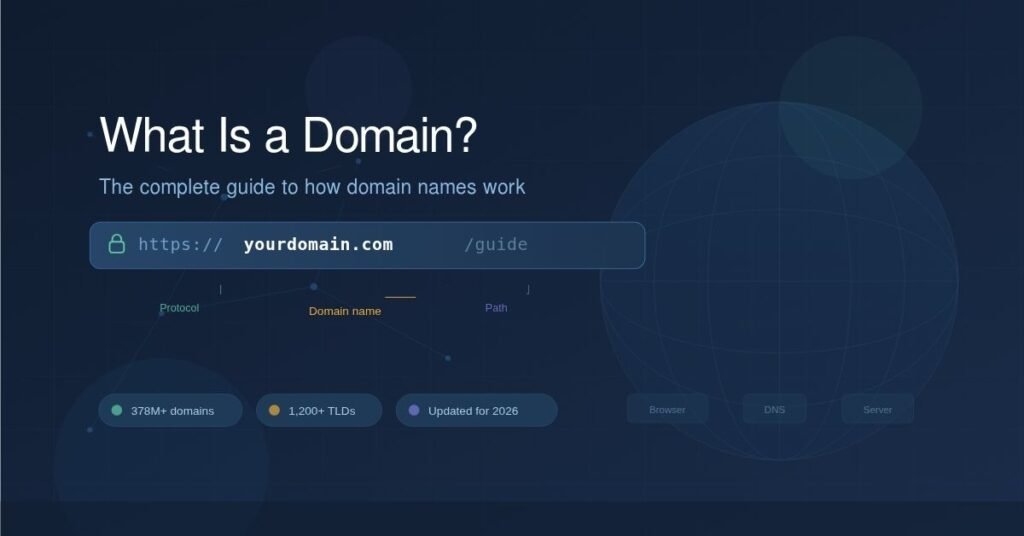
Every website you’ve ever visited has a domain name. Google.com. Wikipedia.org. That small bakery down the street with the surprisingly good website. A domain is what makes all of that possible — it’s the human-friendly address that points to a specific location on the internet.
But there’s more going on behind that short, memorable name than most people realize. Domains sit at the center of a system that translates words into numbers, connects browsers to servers, and shapes how billions of people navigate the web every single day.
Whether you’re launching your first website, trying to understand a technical conversation, or figuring out which domain extension to pick, this guide covers it all: what a domain actually is at a technical level, how the Domain Name System routes your request, what the different types of domains mean, how to register one, and what’s changed in the domain landscape heading into 2026.
Let’s start with the basics.
What Is a Domain Name? A Plain-English Definition
A domain name is the address you type into a web browser to visit a website. Instead of remembering a string of numbers like 192.0.2.172 (an IP address), you type something like example.com — and the internet’s infrastructure handles the translation behind the scenes.
Think of it this way: an IP address is like a set of GPS coordinates. A domain name is like the street address you’d actually give someone. Both point to the same place, but one is designed for humans.
Every domain name is unique. No two websites can share the exact same domain. That uniqueness is managed by a global system of registries and registrars, all coordinated under a non-profit organization called ICANN (the Internet Corporation for Assigned Names and Numbers).
As of Q3 2025, there are over 378.5 million registered domain names worldwide — and that number has been climbing steadily year over year. [Source: Verisign Domain Name Industry Brief, Q3 2025]
How Domain Names Actually Work: DNS Explained
When you type a domain name into your browser, you’re triggering a chain of events that happens in milliseconds. Here’s the simplified version of what’s going on:
Step 1: You enter a domain. You type example.com into your browser’s address bar and hit enter.
Step 2: Your browser asks a DNS resolver. Your internet service provider (ISP) runs a DNS resolver — essentially an intermediary that knows how to look up domain names. Your browser sends the domain to this resolver.
Step 3: The resolver queries nameservers. The resolver works its way through a hierarchy of DNS servers. It starts at a root server (which knows about top-level domains like .com), then moves to the TLD nameserver (which knows which specific nameserver handles example.com), and finally reaches the authoritative nameserver for that domain.
Step 4: The IP address is returned. The authoritative nameserver responds with the IP address associated with example.com — something like 93.184.216.34.
Step 5: Your browser connects. Armed with the IP address, your browser connects directly to the web server hosting the site and loads the page.
This entire process is called a DNS lookup, and it typically takes just 20–120 milliseconds. The Domain Name System is often called “the phonebook of the internet” — and while that analogy is a bit dated (who uses phonebooks?), the logic holds. DNS maps names to numbers so humans don’t have to.
The Anatomy of a Domain Name
A domain name has a specific structure. Let’s break down www.shop.example.com:
| Component | Part | What It Does |
|---|---|---|
| Top-Level Domain (TLD) | .com | The broadest category. Indicates the type or origin of the domain. |
| Second-Level Domain (SLD) | example | The unique name chosen by the registrant. This is the core identity. |
| Subdomain | shop | An optional prefix that creates a separate section within the main domain. |
| Host/Machine Name | www | A legacy prefix indicating “world wide web.” Largely optional today. |
Domains are read right to left in terms of hierarchy: the TLD is the most general, and each label to the left gets more specific.
Most people only interact with the SLD and TLD — for instance, google.com or bbc.co.uk. But understanding subdomains matters if you’re managing a website with distinct sections (like blog.yoursite.com or app.yoursite.com).
Types of Top-Level Domains (TLDs)
Not all domain endings are created equal. TLDs fall into several categories, and each serves a different purpose.
Generic Top-Level Domains (gTLDs)
These are the most common extensions. Originally there were only a handful — .com, .org, .net, .edu, .gov, .mil, and .int. Today, there are over 1,200 generic TLDs available, from .tech and .shop to .ai and .blog.
The .com extension remains dominant by a wide margin, with over 159.4 million registrations as of September 2025. [Source: Verisign DNIB, Q3 2025]
Country-Code Top-Level Domains (ccTLDs)
These are two-letter extensions tied to specific countries or territories: .uk (United Kingdom), .de (Germany), .cn (China), .pk (Pakistan), .in (India), and so on. They’re commonly used by businesses targeting a local audience and can signal regional relevance to both users and search engines.
As of Q3 2025, ccTLDs accounted for 144.8 million registrations globally. China’s .cn and Germany’s .de consistently rank among the largest. [Source: Verisign DNIB, Q3 2025]
New Generic TLDs (ngTLDs)
Introduced through ICANN’s expansion program (the first wave launched after 2012), these include extensions like .xyz, .online, .store, .cloud, and the rapidly growing .ai. New gTLDs hit 42.9 million registrations in Q3 2025 — a 21% year-over-year increase. [Source: Verisign DNIB, Q3 2025]
The .ai extension has become a standout story. Registrations surpassed 900,000 by late 2025 and are projected to cross 1 million in early 2026, driven by the AI industry boom.
Sponsored TLDs
These are restricted-use extensions managed by specific organizations. For example, .gov is reserved for U.S. government entities, .edu for accredited educational institutions, and .museum for verified museums. You can’t just register one of these — you have to meet eligibility criteria.
Domain Name vs. URL vs. Web Hosting: What’s the Difference?
These three terms get confused constantly. Here’s a clear breakdown:
| Domain Name | URL | Web Hosting | |
|---|---|---|---|
| What it is | The human-readable address of a website (e.g., example.com) | The full web address including protocol, domain, and path (e.g., https://example.com/blog/post-1) | The service that stores your website’s files on a server |
| Analogy | Your street address | The full directions to a specific room in your building | The building itself |
| Do you need it for a website? | Yes | Created automatically when someone visits a page | Yes |
| Where you get it | A domain registrar (e.g., Cloudflare, Namecheap, GoDaddy) | Generated by your website’s structure | A hosting provider (e.g., Cloudflare, AWS, Hostinger, SiteGround) |
A domain name is a component of a URL. And neither a domain nor a URL does anything on its own without a web hosting server that actually stores and serves the website’s content.
How to Register a Domain Name
Getting a domain is straightforward, but there are a few things worth knowing before you buy.
Choose a registrar. A domain registrar is a company accredited by ICANN to sell domain names. Major registrars include Cloudflare Registrar, Namecheap, Google Domains (now via Squarespace), GoDaddy, Porkbun, and many others. Prices and bundled services vary, so it’s worth comparing.
Search for availability. Every registrar has a search tool. Type in the name you want, and you’ll see whether it’s available — and in which TLDs. If yourname.com is taken, you might find yourname.io or yourname.co available.
Register and configure. Once you pick an available domain, you register it for a period — typically one to ten years. You’ll also set up nameservers to point the domain to your hosting provider. Some registrars include WHOIS privacy protection (which hides your personal contact details from the public WHOIS database) for free; others charge extra.
Renew on time. Domain registration is a lease, not a purchase. If you don’t renew before the expiration date, your domain enters a grace period and eventually becomes available for anyone to register. Set up auto-renewal to avoid losing a domain you’ve built a brand around.
What to look for in a good domain name:
- Keep it short — the average domain is 11–13 characters, and shorter names are easier to remember and type
- Make it easy to spell and say out loud (important for voice search and word-of-mouth)
- Avoid hyphens and numbers when possible — they create confusion
- Choose a TLD that fits your purpose and audience
- Check for trademark conflicts before committing
Domain Security: What You Need to Know
Your domain is a critical asset, and it’s a target. Domain hijacking, phishing, and DNS spoofing are real threats. Here’s what matters:
WHOIS Privacy: By default, registering a domain makes your name, email, phone number, and address publicly visible in the WHOIS database. WHOIS privacy protection masks this information. Many registrars now include it for free.
Domain Locking: Most registrars offer a “registrar lock” that prevents unauthorized transfers of your domain. Keep this enabled unless you’re intentionally transferring.
DNSSEC (Domain Name System Security Extensions): DNSSEC adds a layer of cryptographic verification to DNS lookups, helping prevent attackers from redirecting your domain’s traffic. Adoption has been growing, especially after high-profile domain hijacking incidents in recent years. It’s no longer a “nice-to-have” for any serious online presence.
Two-Factor Authentication: Enable 2FA on your registrar account. If someone gains access to your registrar account, they can transfer or redirect your domain.
SSL/TLS Certificates: While not strictly a domain feature, pairing your domain with an SSL certificate (enabling HTTPS) is now considered standard. Browsers flag non-HTTPS sites as insecure, and search engines factor it into rankings.
Domain Names and SEO: Do They Still Matter?
Short answer: yes, but not the way they used to.
A decade ago, exact-match domains (EMDs) like bestcheapshoes.com could give you a meaningful ranking boost. That’s largely been corrected. Modern search engines evaluate content quality, authority, user experience, and hundreds of other signals well beyond what’s in the domain name.
That said, your domain still plays a role in SEO in several indirect ways:
Brand recognition and click-through rate. A clean, memorable domain earns more clicks in search results. Users trust bakersfield-bakery.com more than a random string of characters.
Direct traffic and type-in navigation. Short, brandable domains generate more direct traffic from people typing them directly into the address bar.
Backlink profile. A professional domain name is more likely to earn backlinks from other sites, which remains a core ranking factor.
Domain age. While Google says domain age isn’t a direct ranking factor, older domains with consistent content history tend to carry more established authority.
TLD choice. There’s no confirmed SEO penalty for using a non-.com TLD, but .com still carries the highest trust perception among users. Country-code TLDs can boost local SEO if you’re targeting a specific geographic market.
Myth vs. Fact: Common Domain Name Misconceptions
Myth: You “own” your domain name. Fact: You’re leasing the right to use it for a set period. Domain registration is a renewable lease, not a permanent purchase. If you stop paying, you lose it.
Myth: A .com domain will automatically rank higher on Google. Fact: Google doesn’t give inherent ranking preference to any specific TLD. Content quality, relevance, and authority are what matter. A .io or .co site with great content will outrank a .com site with thin content.
Myth: Buying a domain means your website is live. Fact: A domain is just an address. You also need web hosting (a server to store your files) and actual website content. Without hosting, your domain points to nothing.
Myth: Long domain names are fine as long as they contain keywords. Fact: Length hurts memorability, increases typo risk, and looks spammy. Keep it short and brandable. Search engines don’t reward keyword-stuffed domain names the way they once did.
Myth: Once a domain expires, it’s gone forever. Fact: Expired domains go through a lifecycle — grace period, redemption period, and eventually deletion. During some of these phases, you can still reclaim it (sometimes for an extra fee). After full deletion, it becomes available for public registration again.
What’s Happening With Domains in 2026
The domain industry isn’t static. A few developments are shaping things right now:
Record-breaking registrations. Global domain registrations hit 378.5 million in Q3 2025, a 4.5% year-over-year jump. The internet is still expanding, and demand for good names keeps rising. [Source: Verisign DNIB, Q3 2025]
New TLDs on the horizon. ICANN is expected to open a new application window for top-level domains in 2026 — the first since 2012. This could introduce a wave of new TLD options that reshape branding strategies for the next decade.
AI-related domains are surging. Extensions like .ai are growing at roughly 1% per week, fueled by the explosion of AI startups and products. AI tools are also changing how people discover and value domain names, from AI-powered name generators to automated domain valuation platforms.
Security is becoming non-negotiable. DNSSEC adoption is accelerating. Domain privacy protections are increasingly offered for free by registrars. The era of treating domain security as an afterthought is ending.
Brandability over keywords. The trend toward short, unique, brandable names continues to outpace keyword-driven domain strategies. The most valuable domains on the aftermarket are overwhelmingly short — often under eight characters.
Insights From the Field: An EEAT Perspective
After years of working across website launches, domain migrations, and brand rebuilds, one pattern comes up again and again: people underestimate the long-term impact of their domain choice.
The most common mistake? Picking a domain name as an afterthought — choosing whatever’s cheapest or available, without thinking about how it sounds when spoken aloud, how it looks on a business card, or whether customers will instinctively add a .com to the end regardless of which TLD you chose.
Another frequent pitfall: letting a domain expire accidentally. This has cost businesses real money and real traffic. Auto-renewal exists for a reason — use it. And register your domain for multiple years if budget allows. It removes the annual risk of a lapse and signals stability.
From a technical standpoint, the single biggest setup oversight is skipping DNSSEC and leaving WHOIS privacy turned off. Both are simple to configure and dramatically reduce your exposure to domain-related attacks.
If you’re building something you care about — a business, a portfolio, a project — treat your domain name like a core business decision, not a technical checkbox.
Frequently Asked Questions
What is a domain in simple terms?
A domain is the name people type into a browser to find your website. It acts as a human-friendly substitute for the numerical IP address that computers use to locate servers on the internet. For example, google.com is a domain name that directs your browser to Google’s servers.
What is the difference between a domain and a URL?
A domain is the core address — like example.com. A URL is the full web address that includes the protocol (HTTP or HTTPS), the domain, and the specific page path. So https://example.com/about is a URL, and example.com is the domain within it.
How much does a domain name cost?
Most standard domain names cost between $8 and $15 per year from major registrars. Premium domains — short, highly brandable, or keyword-rich names — can cost hundreds, thousands, or even millions of dollars on the aftermarket. The most expensive domain sale in recent history was cars.com at $872 million.
Can I get a free domain name?
Some web hosting providers bundle a free domain name with their hosting plans for the first year. Services like WordPress.com and Wix offer free subdomains (e.g., yourname.wordpress.com), but these aren’t custom domain names and carry the platform’s branding.
What happens when a domain name expires?
When a domain expires, it enters a grace period (typically 30–45 days) where the original registrant can still renew it. After that, it enters a redemption period with higher fees. If unclaimed, it’s eventually deleted and released for public registration, sometimes through auction.
Do I need a .com domain, or are other extensions just as good?
A .com domain carries the highest brand recognition and user trust, and it’s what most people will default to when guessing a web address. But other extensions — .co, .io, .org, .ai, and country-code TLDs — are perfectly legitimate and work well when they align with your brand or audience. There’s no SEO penalty for using a non-.com extension.
Where to Go From Here
Domains are foundational to how the internet works. Whether you’re just learning what a domain is or you’re ready to register one for a new project, the key takeaway is this: your domain name is your digital identity. It deserves the same level of thought you’d put into naming a business.
With nearly 380 million domains registered worldwide and ICANN preparing to introduce new TLD options in 2026, the naming landscape is more dynamic than it’s been in over a decade. The best time to secure the right domain for your brand was yesterday. The second-best time is now.
Next steps: Search for your ideal domain name on a trusted registrar, compare pricing and included features (especially WHOIS privacy and DNSSEC support), and lock in your name before someone else does.
ALSO READ: Discovering Tsunaihaiya: A Hidden Gem Worth Exploring

George is a digital growth strategist and the driving force behind Business Ranker, a platform dedicated to helping businesses improve their online visibility and search engine rankings. With a strong understanding of SEO, content strategy, and data-driven marketing, George works closely with brands to turn traffic into real, measurable growth.