
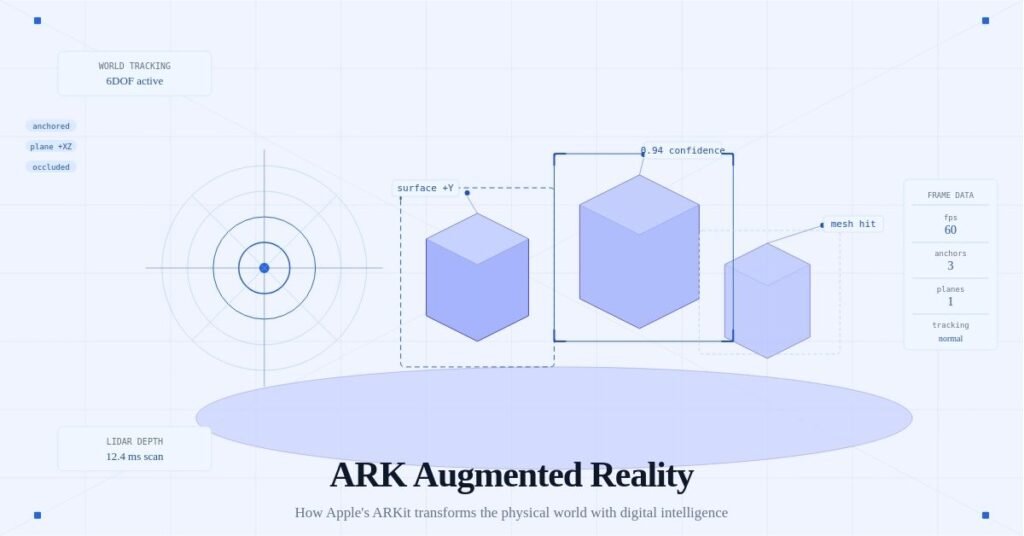
Augmented reality is no longer a concept from science fiction. It is part of how we build, design, train, and navigate the real world. At the center of many AR-powered applications is ARKit — Apple’s augmented reality framework commonly referred to in the developer community as “ARK” or “ARKit AR.”
Whether you are a developer building spatial apps, a business exploring AR use cases, or simply someone curious about how your iPhone makes digital objects appear in the real world — this guide explains everything clearly.
What Is ARK Augmented Reality?
ARKit (ARK) is Apple’s augmented reality development platform, introduced in 2017. It allows developers to build apps that overlay digital content — 3D objects, animations, text, and data — directly onto the real world as seen through a device’s camera.
In plain terms: ARKit is the technology that powers your phone’s ability to place a virtual sofa in your living room before you buy it, or to show you how a tattoo would look on your arm without any ink.
ARKit works on iPhones and iPads and uses a combination of:
- Camera input — the device camera captures the real environment
- Sensor fusion — accelerometers, gyroscopes, and depth sensors work together
- Computer vision — the software recognizes surfaces, lighting, and objects
- 3D rendering — digital content is placed and rendered in the scene in real time
Why ARK Augmented Reality Matters Right Now
The global augmented reality market is growing rapidly. Businesses, healthcare providers, educators, and retailers are all investing in AR to improve how people interact with information and products.
Here is why ARK is central to that shift:
- Massive user base — ARKit runs on over a billion Apple devices worldwide
- No special hardware required — it works through standard iPhone cameras
- Developer ecosystem — thousands of apps are already built on ARKit
- Continued Apple investment — each new iOS release adds more ARKit capabilities
- Foundation for Apple Vision Pro — ARKit concepts underpin Apple’s spatial computing platform
If you are building for iOS or evaluating AR platforms for business, understanding ARKit is not optional — it is essential.
How ARKit Works: The Core Technologies
World Tracking
World tracking is the foundation of ARKit. It continuously maps the physical environment so that digital objects stay anchored in the right place as the user moves.
When you walk around a virtual object placed on your table, it stays on the table — it does not follow the camera or float away. That is world tracking at work.
Plane Detection
ARKit identifies horizontal and vertical flat surfaces in the real world — floors, tables, walls, and ceilings. This allows developers to place objects on realistic surfaces rather than floating in mid-air.
Practical example: a furniture retail app uses plane detection to let users place a virtual bookshelf against their actual wall.
Scene Understanding
Newer versions of ARKit include scene reconstruction, which builds a detailed 3D mesh of the entire environment. This means digital objects can interact with real-world geometry — a virtual ball can roll across the floor and bump into the leg of a real chair.
LiDAR Scanner Support
On devices with a LiDAR scanner (iPhone 12 Pro and later, iPad Pro), ARKit can instantly map a room with far greater accuracy and depth. LiDAR dramatically improves:
- Occlusion (objects going behind real furniture)
- Surface detection speed
- AR object placement precision
People Occlusion
ARKit can detect human bodies in the camera frame and allow virtual objects to pass behind real people. This creates far more believable augmented scenes and is critical for applications in entertainment, fitness, and fashion.
Common Use Cases for ARK Augmented Reality
Retail and E-Commerce
Shoppers can visualize products in their own space before purchasing. IKEA Place, built on ARKit, is one of the most cited examples — customers place virtual furniture in their homes at true scale.
Education and Training
Medical students can study anatomy overlaid on a physical model. Engineering trainees can practice with virtual machinery. ARKit makes complex spatial concepts tangible.
Architecture and Interior Design
Architects use ARKit to walk clients through unbuilt spaces. Interior designers overlay paint colors, flooring, and fixtures on real rooms in real time.
Navigation and Wayfinding
Indoor navigation using ARKit overlays directional arrows on the floor of airports, hospitals, or shopping malls — far more intuitive than a 2D map.
Gaming and Entertainment
Games like Pokémon GO popularized AR on mobile. ARKit enables far richer experiences — persistent AR environments, multiplayer AR, and location-based storytelling.
Healthcare
Surgeons use AR overlays during procedures. Physical therapists track movement with AR assistance. Patient education apps use 3D anatomy models overlaid on the body.
ARKit vs. Other AR Platforms
| Platform | Developer | Primary Devices |
|---|---|---|
| ARKit | Apple | iPhone, iPad |
| ARCore | Android phones | |
| Vuforia | PTC | Cross-platform |
| Spark AR | Meta | Instagram, Facebook |
| WebXR | W3C standard | Web browsers |
ARKit is widely regarded as the most capable mobile AR framework available, largely because Apple controls both the hardware and software stack. This tight integration allows ARKit to access sensors, cameras, and processing power more efficiently than cross-platform alternatives.
How to Get Started with ARKit Development
What You Need
- A Mac running macOS Ventura or later
- Xcode (Apple’s development environment, free)
- An iPhone or iPad with iOS 16 or later
- Basic knowledge of Swift or SwiftUI
- Familiarity with SceneKit, RealityKit, or Unity
The Development Path
- Install Xcode — download it free from the Mac App Store
- Create a new AR project — Xcode includes ARKit templates to get started immediately
- Choose your rendering framework — RealityKit is Apple’s modern recommendation for new projects
- Learn Reality Composer — Apple’s drag-and-drop tool for building AR scenes without writing all code from scratch
- Test on a real device — AR cannot be properly tested in a simulator; always use a physical iPhone or iPad
- Iterate and refine — test in different lighting, surfaces, and environments
Key ARKit APIs to Learn
ARSession— manages the AR experience lifecycleARWorldTrackingConfiguration— the most common configuration for general ARARAnchor— attaches virtual content to real-world positionsARPlaneAnchor— specifically represents detected flat surfacesARBodyTrackingConfiguration— for people tracking and occlusion
ARKit and Apple Vision Pro
Apple Vision Pro, released in 2024, represents the next evolution of what ARKit pioneered. The Vision Pro headset runs visionOS, which builds on the same spatial computing foundations — world tracking, scene understanding, and 3D anchoring — but extends them into a fully spatial computing environment.
For developers already familiar with ARKit, the transition to building for Vision Pro is significantly smoother. Apple has designed RealityKit and Reality Composer Pro to work across both iPhone AR and Vision Pro spatial apps.
This means skills learned building ARKit apps today are directly transferable to the next generation of spatial computing.
Challenges and Limitations of ARKit
Understanding the limitations of ARKit is just as important as knowing its strengths.
- Battery consumption — AR is computationally intensive and drains batteries quickly
- Lighting sensitivity — poor lighting degrades tracking and plane detection
- Limited range — ARKit works best in close-range environments, not large outdoor spaces
- Apple ecosystem only — ARKit does not run on Android; cross-platform projects need ARCore or a bridge like Unity
- Privacy considerations — camera-based spatial mapping raises legitimate privacy questions for enterprise deployments
The Future of ARK Augmented Reality
The trajectory of ARKit is clear: deeper integration with everyday tasks, more powerful scene understanding, and a seamless bridge to fully spatial computing through Apple Vision Pro.
Key trends to watch include:
- Persistent AR experiences — digital content that stays in physical locations over time
- Shared AR — multiple users experiencing the same AR scene simultaneously
- AI-powered object recognition — ARKit increasingly leverages machine learning for smarter scene understanding
- Outdoor AR — improvements in GPS accuracy and mapping are extending AR beyond indoor use
- Enterprise adoption — maintenance, logistics, and field service industries are rapidly integrating AR workflows
Conclusion
ARKit — widely known as ARK augmented reality — is the most mature and widely deployed mobile AR framework available today. It transforms how developers build spatial experiences and how users interact with the physical world through their devices.
Whether you are a developer exploring spatial computing, a business evaluating AR solutions, or someone curious about what is coming next in technology — understanding ARKit gives you a meaningful head start.
The bridge between the digital and physical worlds is being built right now. ARKit is one of the most important tools doing that work.
This article covers ARKit as of iOS 18 and the current Apple developer ecosystem. The platform evolves with each major iOS release, so consulting Apple’s official ARKit documentation at developer.apple.com is always recommended for the latest capabilities.

George is a digital growth strategist and the driving force behind Business Ranker, a platform dedicated to helping businesses improve their online visibility and search engine rankings. With a strong understanding of SEO, content strategy, and data-driven marketing, George works closely with brands to turn traffic into real, measurable growth.