
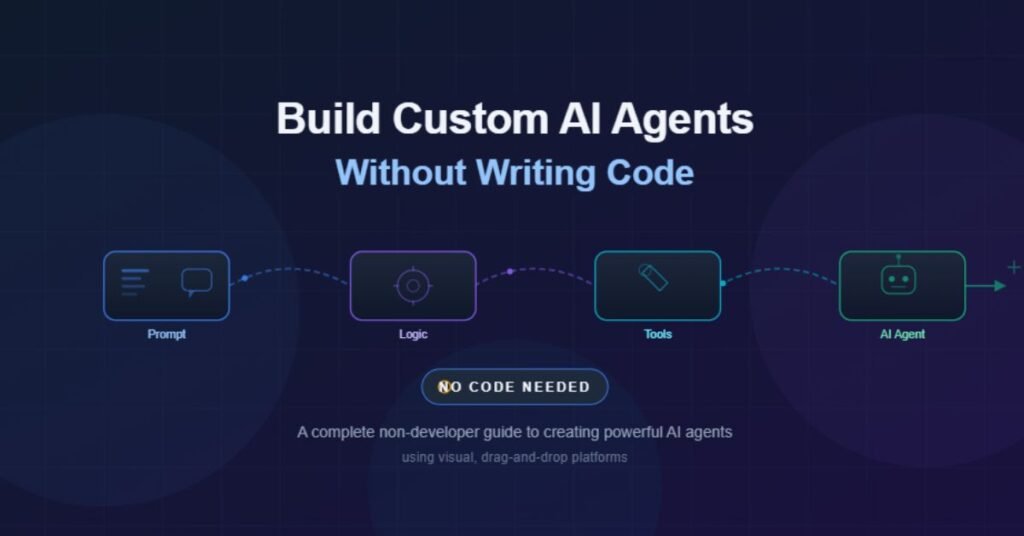
AI agents are no longer the exclusive domain of software engineers and data scientists. Thanks to a growing wave of no-code platforms, anyone with a clear goal and basic computer literacy can build custom AI agents that automate tasks, answer questions, and handle complex workflows.
This guide is written specifically for non-developers. Whether you’re a marketer, small business owner, project manager, or simply someone curious about AI, you’ll walk away understanding exactly what AI agents are, why they matter, and how to build one yourself — without writing a single line of code.
Why Building AI Agents Matters Right Now
The AI landscape is shifting rapidly. Businesses that once needed entire development teams to create automated solutions can now accomplish the same thing using visual, drag-and-drop interfaces. Here’s why this trend is significant:
- Cost savings: Hiring developers to build custom AI tools is expensive. No-code platforms dramatically reduce the cost of creating and deploying AI agents.
- Speed to market: Instead of months-long development cycles, you can prototype and launch an AI agent in days or even hours.
- Democratized innovation: When anyone in an organization can build AI agents, solutions get created closer to the actual problem. The people who understand the workflow best are the ones building the fix.
- Competitive advantage: Companies that adopt AI workflows early gain efficiency and responsiveness that’s difficult for competitors to match.
| Key Takeaway You don’t need to be a programmer to build useful AI agents. The tools available today are designed for people who think in terms of business outcomes, not code syntax. |
What Exactly Is an AI Agent?
An AI agent is a software program that can perceive its environment, make decisions, and take actions to accomplish a specific goal. Unlike a simple chatbot that only responds to direct questions, an agent can reason through multi-step tasks, use external tools, and adapt its behavior based on the results it gets.
Simple Chatbot vs. AI Agent
- Chatbot: You ask a question, it gives an answer. The interaction is one-and-done.
- AI Agent: You give it a goal, and it figures out the steps. It can search the web, check a database, send an email, update a spreadsheet, and report back — all on its own.
Think of an AI agent like a capable virtual assistant. You tell it what you need, and it handles the how.
Types of AI Agents You Can Build Without Code
The range of AI agents you can create with no-code tools is surprisingly broad. Here are some of the most common and useful categories:
Customer Support Agents
These agents handle incoming customer questions by drawing on your company’s knowledge base, FAQ documents, and product information. They can escalate complex issues to a human when needed.
Research and Summary Agents
Feed them a topic, and they’ll search the web, compile relevant information, and deliver a structured summary. Ideal for market research, competitive analysis, or content creation workflows.
Data Processing Agents
These agents can read spreadsheets, extract key data points, run calculations, and generate reports. Particularly useful for finance, operations, and analytics teams.
Workflow Automation Agents
They connect multiple tools and trigger actions based on conditions. For example: when a new lead comes in, the agent enriches the contact data, adds it to your CRM, and sends a personalized follow-up email.
Internal Knowledge Agents
These are trained on your internal documents — HR policies, onboarding guides, technical documentation — so employees can get instant answers without searching through dozens of files.
Top No-Code Platforms for Building AI Agents
Several platforms have emerged that make AI agent creation accessible to non-developers. Each has its strengths, and the best choice depends on your specific use case.
1. Relevance AI
Relevance AI offers a visual agent builder where you define tools, assign tasks, and let the agent reason through workflows. It’s well-suited for sales, marketing, and operations teams that need agents capable of multi-step actions.
- Best for: Business teams that need agents with access to multiple tools and data sources.
- Standout feature: Multi-agent systems where agents can delegate tasks to each other.
2. Botpress
Botpress provides a conversation-first approach to agent building. You design flows visually, connect knowledge bases, and deploy agents across channels like websites, WhatsApp, and Slack.
- Best for: Customer-facing chatbots and support agents.
- Standout feature: Built-in natural language understanding with easy channel deployment.
3. Zapier Central
Zapier Central integrates with thousands of apps and lets you create AI agents that act across your entire tool stack. If you’re already using Zapier for automation, this is a natural extension.
- Best for: Cross-platform workflow automation.
- Standout feature: Direct integration with 6,000+ apps out of the box.
4. Stack AI
Stack AI provides a visual canvas for building AI workflows. You drag and drop components like language models, data connectors, and output modules to create agents tailored to your needs.
- Best for: Enterprise teams that need customizable AI pipelines.
- Standout feature: Visual workflow builder with enterprise-grade security.
5. Voiceflow
Voiceflow focuses on conversational AI design. It’s a mature platform for building voice and text-based agents with detailed conversation logic, branching, and integrations.
- Best for: Teams building sophisticated conversational experiences.
- Standout feature: Collaborative design canvas with version control.
Step-by-Step: How to Build Your First AI Agent
Here’s a practical walkthrough for creating your first AI agent using a no-code platform. These steps apply broadly, regardless of which tool you choose.
Step 1: Define the Agent’s Purpose
Start with a clear, specific goal. Vague instructions produce vague results. Instead of telling your agent to “help with customer service,” define exactly what it should do.
- Too vague: “Handle customer inquiries.”
- Better: “Answer questions about our return policy, shipping times, and product specifications using our FAQ document. Escalate billing disputes to the support team.”
Step 2: Choose Your Platform
Match the platform to your use case. If you need a customer-facing chatbot, Botpress or Voiceflow are strong choices. If you need an agent that connects to multiple business tools, consider Zapier Central or Relevance AI.
Step 3: Prepare Your Knowledge Base
Your agent is only as good as the information it has access to. Gather and organize the documents, FAQs, product catalogs, or databases that the agent will reference. Most platforms let you upload PDFs, connect to web pages, or link to cloud storage.
| Pro Tip Clean, well-organized data produces dramatically better agent performance. Spend time structuring your source material before uploading it. |
Step 4: Configure the Agent’s Behavior
This is where you define how the agent should act. On most platforms, this involves:
- Writing a system prompt that describes the agent’s role, tone, and boundaries.
- Connecting tools the agent can use (search, email, CRM, calendar, etc.).
- Setting guardrails so the agent stays on-topic and doesn’t produce harmful or off-brand responses.
- Defining escalation paths for situations the agent can’t handle.
Step 5: Test Thoroughly
Before going live, test your agent with a wide range of scenarios. Try edge cases, unusual questions, and adversarial inputs. Common things to test:
- Does it answer correctly when the answer is in the knowledge base?
- Does it gracefully handle questions it can’t answer?
- Does it stay within its defined boundaries?
- Does it escalate appropriately when needed?
Step 6: Deploy and Monitor
Once you’re confident in the agent’s performance, deploy it to your chosen channel. Then monitor its conversations regularly. Most platforms provide analytics dashboards showing response quality, user satisfaction, and common failure points.
Best Practices for Non-Developer Agent Builders
Building an effective AI agent isn’t just about the technology. These practices will help you get significantly better results:
- Start small and iterate. Don’t try to build an agent that does everything at once. Start with a single, well-defined task, get it working reliably, and then expand.
- Write clear, specific prompts. The system prompt is your agent’s instruction manual. Be explicit about what it should and shouldn’t do. Include examples of ideal responses.
- Invest in your knowledge base. The quality of your source documents directly determines the quality of your agent’s responses. Update them regularly.
- Set boundaries upfront. Tell the agent what topics are off-limits, what it should say when it doesn’t know an answer, and when it should hand off to a human.
- Monitor and refine continuously. Review conversation logs weekly. Identify where the agent struggles and update its instructions or knowledge base accordingly.
- Get feedback from real users. The best insights come from the people actually interacting with your agent. Build a simple feedback mechanism into the experience.
Common Mistakes to Avoid
Even with no-code tools, there are pitfalls that can undermine your AI agent’s effectiveness:
- Overloading the agent with too many tasks. An agent that tries to do everything usually does nothing well. Keep its scope focused.
- Neglecting the knowledge base. Uploading outdated or poorly organized documents leads to inaccurate responses.
- Skipping the testing phase. Untested agents will embarrass you in production. Budget time for thorough testing.
- Ignoring user feedback. If users report problems, fix them promptly. An agent that frustrates people will be abandoned.
- Setting unrealistic expectations. AI agents are powerful but not perfect. Be transparent with users about the agent’s capabilities and limitations.
Real-World Use Cases
To make this concrete, here are examples of how non-technical teams are using AI agents today:
- E-commerce store owner: Built a customer support agent that handles 70% of incoming questions about orders, returns, and product details. The agent pulls answers from the store’s FAQ and product catalog, reducing the support team’s workload significantly.
- HR manager: Created an internal knowledge agent trained on the employee handbook, benefits documents, and company policies. Employees now get instant answers to common HR questions instead of waiting for email replies.
- Marketing team: Deployed a research agent that monitors competitor websites and industry news, compiling weekly summary reports. What used to take a junior analyst a full day now happens automatically.
- Real estate agency: Built a lead qualification agent that engages website visitors, asks qualifying questions, and schedules viewings directly in the team’s calendar.
What’s Next: The Future of No-Code AI Agents
The no-code AI agent space is evolving quickly. Several trends are worth watching:
- Multi-agent collaboration: Platforms are beginning to support systems where multiple agents work together, each handling a specialized piece of a larger workflow.
- Better reasoning capabilities: As the underlying language models improve, agents are becoming more capable of handling nuanced, multi-step tasks with less human intervention.
- Deeper integrations: Expect tighter connections between AI agent platforms and the business tools you already use, from CRMs and project management software to accounting and communication platforms.
- Voice and multimodal agents: Agents that can process images, documents, and voice alongside text are becoming more accessible to non-developers.
Conclusion
Building custom AI agents without coding is not only possible — it’s increasingly practical for everyday business use. The tools are mature enough to deliver real value, and the learning curve is manageable for anyone willing to invest a few hours of focused effort.
The key is to start with a clear goal, choose a platform that fits your needs, prepare quality source material, and iterate based on real-world feedback. You don’t need to understand neural networks or write Python scripts. You just need to understand the problem you’re solving and be willing to refine your approach.
The best time to start experimenting with AI agents is now. Pick one task in your workflow that’s repetitive, well-defined, and time-consuming. Build an agent for it. Learn from the process. Then build the next one.
You Might Also Enjoy:
Building Agentic AI Applications: Why a Problem-First Approach Wins
Google Business Profile Updates News: November 2025 to March 2026 — Every Change Explained
Why Most Companies Get Business Vertical Classification Categories Wrong (And How to Fix It)

George is a digital growth strategist and the driving force behind Business Ranker, a platform dedicated to helping businesses improve their online visibility and search engine rankings. With a strong understanding of SEO, content strategy, and data-driven marketing, George works closely with brands to turn traffic into real, measurable growth.